Recognising phishing is not a spelling competition. A polished message carrying a familiar name can still ask for an unverified action. This guide builds a decision process before clicking, then distinguishes a suspicious message from actual disclosure of information. It does not investigate a particular message or claim that one indicator decides every case. The following scenarios are hypothetical learning exercises intended to turn official guidance into practical questions, without exposing your information or experimenting with a dangerous link yourself.
No warning is not a safety certificate
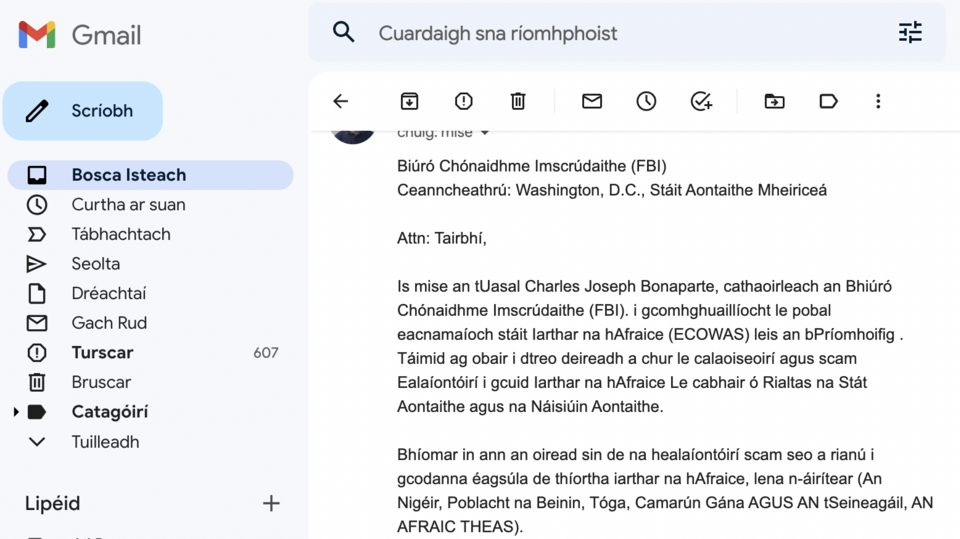
Gmail Help describes useful warnings while also cautioning against untrusted material when no warning appears. For a suspected Google security message, it recommends checking account security activity directly. A filter is an aid, not permission to disclose credentials. If a message says the account is threatened, open its settings through your normal route. This checks the alleged event within the service rather than making the suspicious message your gateway into it. Google Help
Check addresses without relying on them alone
Microsoft identifies mismatched domains and subtle spelling changes as phishing indicators and advises contacting organisational support for work or school incidents. Inspect addresses rather than display names alone, but do not treat a single feature as a universal test. Polished wording still needs checking when the requested action is unusual. A sender warning is a reason to pause, not an inconvenience to dismiss quickly so an attachment can be opened or a payment completed. Microsoft Support
Personal details and caller ID do not prove identity
Apple describes spoofed caller numbers, personal details used to build trust, and pressure to disclose codes or disable protection. Knowing your name or address is not a reason to surrender sign-in secrets. Moving to another channel supplied by the same caller is not independent verification. If someone claims to be support, end a suspicious request and use a known company contact. The question is who authorised the action, not whether you can recognise a dishonest voice or poor design. Apple Support
Your actions determine the next response
The UK NCSC distinguishes opening a link without entering information or downloading anything from disclosing details or installing software. It discusses affected-password changes, contacting a bank after financial disclosure, and involving IT for work incidents. Describe what happened instead of merely saying “I opened it”. This is not remote diagnosis, but it avoids treating different exposures identically. Preserve useful facts for support without copying a disclosed secret into further conversations to explain the problem. National Cyber Security Centre
Reporting a message differs from reporting a crime
The NCSC separates submitting suspicious email for examination from reporting a crime or financial loss to the appropriate authorities. It may not provide an individual result for a submitted message. Do not wait for an email-analysis response before necessary protective action or contacting your bank. Use the reporting mechanism relevant to your country or email provider and preserve requested evidence. A national reporting address should not be presented as a universal channel for every reader or incident. National Cyber Security Centre
Identify what would change if you complied
Before judging appearance, name the requested action: signing in, sending a document, paying an invoice, downloading a file or approving access. Ask whether you expected that action and who supposedly requested it. This is a decision exercise, not technical message analysis. If you cannot explain what the next step will do, do not treat the uncertainty as something to rush past. Request clarification independently before proceeding, rather than discovering the meaning after disclosing information that cannot simply be retrieved. A pause should have a purpose: establishing the action and its authority.
Learning example: a delayed parcel and a small fee
Imagine awaiting a parcel when a message requests an extra charge. A real purchase explains why the story sounds plausible; it does not connect this message to the carrier. Open the order through the retailer’s normal channel, identify the carrier and tracking reference recorded there, then check the shipment independently. Do not use the message’s contact details to validate itself. If the fee remains unexplained, hold the transaction pending a documented answer. A small charge does not make entering payment information on an unknown page a reasonable experiment.
Learning example: a manager requests gift cards
A message bearing a manager’s name demands urgent spending outside procedure and discourages a call. Instead of guessing the person’s writing style, verify through a known work channel and the person responsible for expenditure. A request not to ask questions should not become evidence that the instruction is authentic. Describe what arrived without broadcasting secrets or payment information. Even if genuine, financial authorisation procedures still apply: verifying identity does not automatically authorise changing policy. This separates a valid decision from obedience to an impressive title or apparent position.
Learning example: a colleague shares a file
You may expect a document, yet a new link requests an unfamiliar login or approval you do not understand. Contact the sender through the usual channel and ask about the file and purpose without opening it to test authenticity. At work, use the approved sharing method or request access through the familiar portal. Recognising a name should not become unlimited permission for every later request. A useful question is “Did you send this document in this way?” rather than a vague question about sending a message, because the details define the intended action.
Learning example: a reassuring security message
A message says pressing a button will prevent account closure. Investigate through independently reached service settings, looking for a corresponding issue and using known support if uncertainty remains. You do not need to reply to demonstrate cooperation or provide a code to a caller claiming to stop an intrusion. Normal account access alone does not prove that the message is fake or everything is safe. It is one observation when examining the allegation, not a reason to invent a conclusive assessment without the relevant checks.
Review what actually happened calmly
If interaction occurred, record a clear sequence: viewing the message, opening a link, entering a particular kind of information or approving an action. Name the information type without copying the password or code into a general note. Record the affected account, approximate time and any error, then select an appropriate support channel. Do not hide an important step through embarrassment; different actions require different responses. Equally, do not add unseen events, such as claiming every file was stolen merely because an unfamiliar page appeared. Accurate description makes the next decision more useful.
Ask for help without expanding disclosure
Use a practical description: “I entered this account’s password on a page reached from a message, then closed it.” A specialist can request further necessary information appropriately. Do not publish an entire inbox screenshot, identity document or card number publicly. Where a screenshot is needed, remove irrelevant sensitive details and verify the recipient. Asking for help does not mean authorising arbitrary remote control of the device. Useful assistance starts with a clear description and suitable permissions, rather than collecting as many secrets as possible from an already worried person.
Agree a usable family or team rule
Make it acceptable to verify unusual requests for money, secrets or exceptions without blaming the person who asks. Identify a familiar verification channel rather than creating a shared password sent in every conversation. Practise a relevant hypothetical example, such as a supplier-account change or a relative requesting help, discussing where to pause and whom to contact. The purpose is a habit that works under pressure, not memorising every scam type. Someone who has already interacted needs prompt, clear assistance rather than ridicule that discourages disclosure and delays an appropriate response.
Close the incident with a useful record
After required actions, retain relevant support references and completed steps while limiting sensitive information. Do not mark an incident finished solely because the message was deleted when a transaction or disclosure still needs follow-up. Equally, avoid turning every suspicious message into indefinite anxiety: identify what was checked, which response remains outstanding and who will follow it. This suggested final review distinguishes completed action from an unresolved question, prevents duplicate work and avoids assuming that reporting automatically repaired every possible consequence of the original interaction.