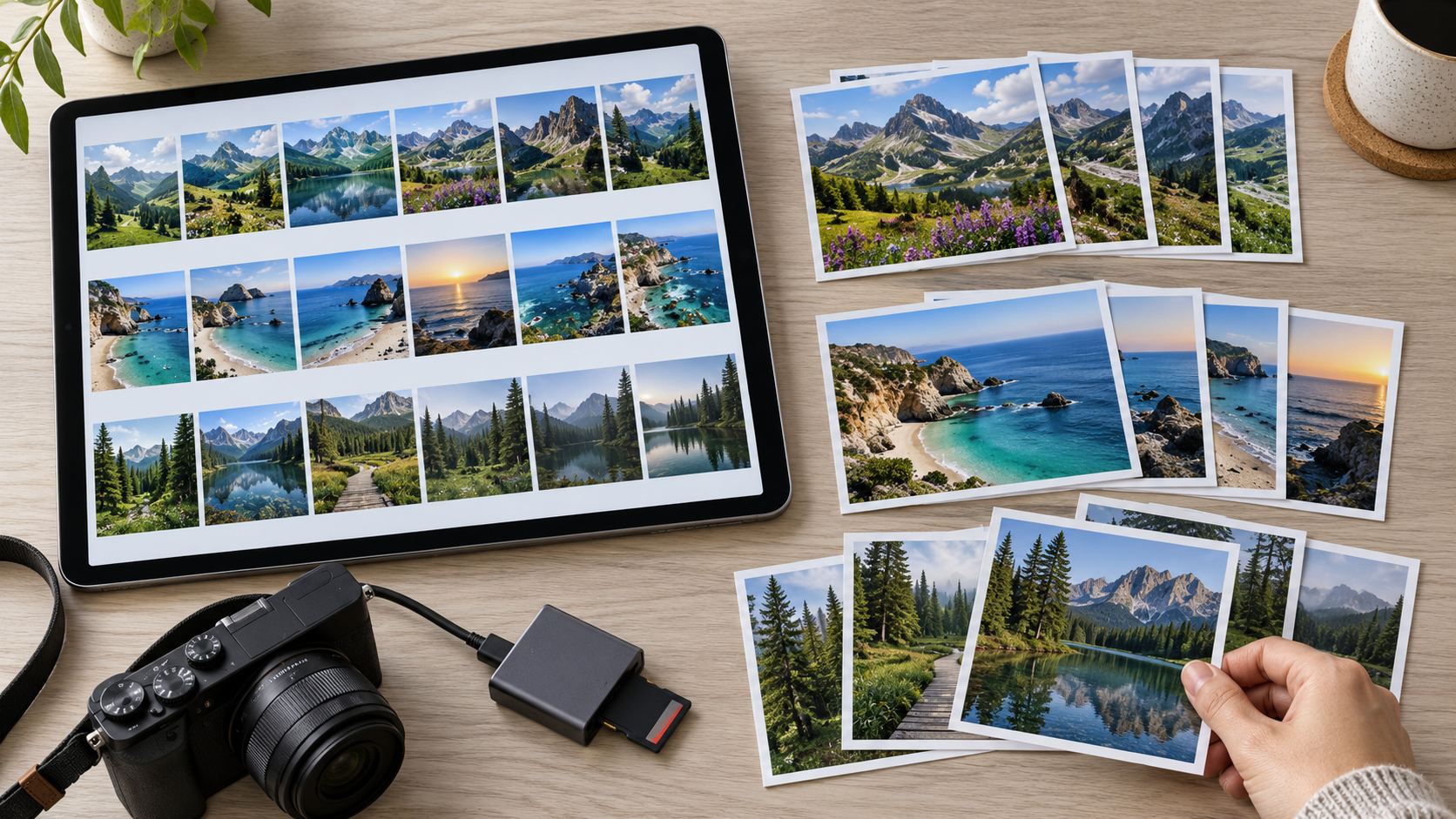
Organizing photographs does not begin with deleting as many as possible. It begins with knowing where important copies live and choosing a structure that will help you find an image next month or next year. A phone library, computer folder, and pictures received in messages may overlap. Combining them without a plan can increase confusion.
This guide offers a gradual approach to a personal collection, preserving originals and separating organization from editing and sharing. It does not prescribe one app, recommend automatic deletion, or require buying a service. Names and scenarios are illustrative, and no reader's library was used for testing.
Decide what you want to find easily
Start with a real question: where are the pictures from one trip? How can I find the original before cropping? Which photographs can I share with family? These are different needs and may call for different organization. Do not create dozens of folders before considering how you actually search.
Write down three recurring uses, then choose a simple organizing rule that serves them. Year followed by event, or project followed by date, may suit your collection. A folder name need not describe every detail; it should mean something you remember and that another authorized person could understand.
For work photographs or material belonging to others, check the permitted retention and sharing arrangements. Personal organization does not authorize uploading organizational files into a new account or publishing other people's pictures. Separate your own library from material you manage for someone else.
Map the locations before moving anything
List existing sources: phone, camera card, computer folder, cloud account, or backup. Note whether each holds originals, edited copies, or items not yet reviewed. Seeing photographs together in one interface does not establish that they are all stored in the same place.
Microsoft Photos documentation describes viewing material from different sources and adding folders for organization. That prompts a useful question: what is the actual source of this image? Do not assume every app version has an identical interface.
Do not enable new synchronization across every device merely to begin tidying. First understand what will upload, what will synchronize, and how deletion behaves in that specific service. If the goal is organizing one small local folder, start there rather than expanding the task unnecessarily.
Use a small sample while preserving the source
Choose a limited group from one event and use suitable working copies while keeping the original safely retained. Record both locations so you remember which is the source. “Move” and “copy” are not interchangeable instructions; read what the app will do before agreeing.
In a hypothetical example, you choose twenty outing photographs to test folder naming, arrangement, and searching. Twenty is not a quality requirement; it is simply a manageable sample. If you cannot find an image within it, simplifying the rule now is easier than changing thousands later.
Open images in the new location rather than checking only the item count. Equal counts alone do not establish that the content transferred as intended. Do not delete the source at the end of the first trial just because the new folder looks tidy.
Choose stable, understandable names
A name such as “2026-05_Coastal-trip” may be clearer than “New photos final.” If the date is uncertain, do not invent an exact day. Record what you know or label the date uncertain. Organization should not turn a guess into something that looks verified.
Keep a short written rule covering event names, when to create a separate folder, and how to identify edits. Renaming every file is unnecessary if folder structure already meets your needs. Do not change a file extension to try to change its type; renaming is not image conversion.
Avoid sensitive information in folder names that will be shared. A name might disclose an address, a child's name, or another detail the recipient does not need. Choose a description appropriate to the task and check what accompanies sharing rather than assuming filenames stay private.
Distinguish originals, edits, and sharing copies
Google's Android Gallery documentation distinguishes saving an edited copy from replacing the original in certain functions and explains folder creation. These are examples of why action labels matter, not a recommendation to select a replacement option.
Set your own clear rule: retain the original, mark an edit, and do not treat a smaller sharing version as the source. Hypothetical names might be “Coast_012_original,” “Coast_012_crop,” and “Coast_012_share.” You need not use that exact pattern; what matters is understanding the relationship between versions.
If an app manages edits internally, learn how it works before moving material outside it. Organization and editing properties may not travel as expected. Try exporting a non-sensitive sample and inspecting it without treating one result as a guarantee for the entire library.
Treat similarity as a question, not a deletion decision
Two similar images may be different exposures, an original and a crop, or a reduced copy received through messaging. Do not delete one because the thumbnails look alike. Compare contents and intended use, leaving the group for review if the distinction is unclear.
A “needs comparison” list is an alternative to a rushed decision. This article does not recommend an automatic duplicate remover or a similarity percentage that guarantees a safe choice. If you later use such software, understand its criteria and options on a sample while retaining important copies.
Separate cleanup from the first organizing session. You can make a collection searchable before deciding the fate of every extra version. Completing a clear, cautious part of the job is better than making deletion a condition for progress.
Keep a small decision table
| Group | Known source | Organizing rule | Still to check |
|---|---|---|---|
| Hypothetical outing | Original camera folder | Year, then event name | Open selected copies |
| Edited photographs | Editing application | Separate originals from crops | Understand export behavior |
| Pictures received in messages | Received-items folder | Identify them as received copies | Does the owner have a better original? |
| Similar pictures | Several sources | Review list without deletion | Compare contents and purpose |
You do not need a row for every photograph if that prevents progress. Track groups and significant decisions so you can return a week later and understand what is complete. Keep private pictures and unnecessary public sharing links out of the record.
Test finding and sharing an image
After arranging the sample, leave it for a while and then try to find an image using one of your original questions. Do you remember the rule? Did you find the right version, or did you open every file? If the structure requires a long explanation even to yourself, it may be more complicated than necessary.
Before sharing, review the image, audience, and exact version. An organized photograph is not automatically suitable for publication. Use a non-sensitive sample to test the sharing method and review access settings when sharing by link.
Also consider information embedded in the file or visible within the photograph where privacy matters. This article does not guarantee removal of location or identity information. The behavior of each app and service should be checked before sharing sensitive material.
Include incoming pictures in the routine
Choose an identifiable location for new material awaiting review, then use a short session to bring it into the structure. You should not need to rebuild the library after every trip. Add the event, check a sample, and record anything requiring follow-up.
As the collection grows, adjust the rule where useful, but record the reason and test before widespread renaming. Remember that organization helps you find files; retaining recoverable copies is a separate responsibility that also needs attention.
Sources and illustration
The linked Microsoft and Google documentation was read on 1 November 2026. Names, the decision table, and the sample scenario are original and hypothetical. The generated image illustrates grouping photographs rather than a real application's interface. This article was prepared with AI assistance and has not received independent human editorial review.